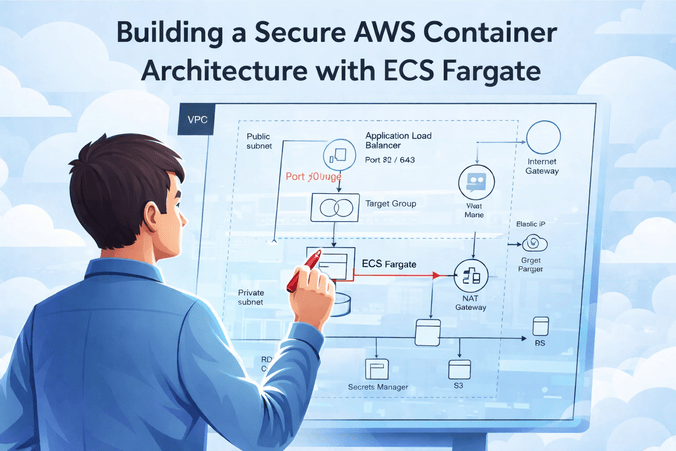
The Blueprint for Secure AWS Container Architecture
In the modern cloud era, simply "running a container" isn't enough. Production-grade systems require a secure AWS container architecture that protects data, isolates workloads, and scales without manual intervention. This guide walks through the exact 11-step process to build a robust ECS Fargate environment, just like the top 1% of SaaS platforms.
Why ECS Fargate? Because it removes the burden of managing servers (EC2), allowing you to focus entirely on your application logic while AWS handles the heavy lifting of security patching and scaling. But serverless doesn't mean "set and forget." You still need a solid networking and identity foundation to ensure your secure AWS container architecture remains impenetrable.
The Multi-Layered Security Approach
Before we dive into the steps, understand the core philosophy: Defense in Depth. We aren't relying on a single firewall. Instead, we are layering VPC subnets, Security Groups, IAM roles, and Load Balancers to create multiple gatekeepers for your data.
Step 1: Create the VPC and Subnets
Everything starts with a Virtual Private Cloud (VPC). Think of this as your private data center in the cloud. For a secure AWS container architecture, you must isolate your components.
- VPC CIDR: e.g., 10.0.0.0/16 (65,536 IPs)
- 2 Public Subnets: Hosting the Application Load Balancer (ALB) and NAT Gateways.
- 2 Private Subnets: Hosting the ECS Tasks and RDS Database.
Pro Tip: Always use at least two Availability Zones (AZs) for high availability. If one datacenter goes down, your app stays up.
Step 2: Create the NAT Gateway
Your containers in the private subnet need to download updates or talk to external APIs, but they shouldn't be reachable from the internet. A NAT Gateway allows outbound traffic while blocking unsolicited inbound connections. Attach an Elastic IP to the NAT Gateway located in your public subnet.
Step 3: Create the Application Load Balancer (ALB)
The ALB is the only public entry point to your application. It handles TLS termination (HTTPS) and distributes traffic. Because it sits in the public subnet, it protects your containers from direct exposure.
"Always terminate SSL at the ALB to simplify certificate management and offload CPU tasks from your containers."
— AWS Best PracticesStep 4: Create the ECS Cluster (Fargate)
Unlike EC2, a Fargate cluster is a logical grouping. There are no instances to manage. You simply define the cluster and then run your services inside it. It's truly serverless compute.
Step 5: Define the Task Definition
The Task Definition is your blueprint. It defines:
- Container Image: Pulled from ECR (Amazon Elastic Container Registry).
- CPU/Memory: Fine-grained allocation (e.g., 0.5 vCPU, 1GB RAM).
- IAM Roles: The "Task Execution Role" (to pull images/logs) and the "Task Role" (what the app can actually do).
Step 6: Create the ECS Service
The Service ensures your desired number of tasks are always running. For a secure AWS container architecture, ensure the network configuration specifies Private Subnets and Assign Public IP: DISABLED.
Step 7: Configure Auto Scaling
Scale based on reality, not guesswork. Set up Target Tracking policies for CPU and Memory. If traffic spikes, ECS spins up more Fargate tasks automatically.
Step 8: Create the RDS Database
Your database should only be accessible by your containers. Place RDS in a dedicated DB subnet group within the private subnets. Ensure the Security Group only allows inbound traffic on port 5432 (Postgres) or 3306 (MySQL) from the ECS Security Group.
Step 9: Integrate Managed Services (Cognito & Secrets Manager)
Stop hardcoding API keys. Use AWS Secrets Manager to inject environment variables securely. For authentication, AWS Cognito provides a managed user pool, so you don't have to build login/signup logic manually.
Step 10: Lock Down Security Groups
This is the most critical step for a secure AWS container architecture. Follow the Principle of Least Privilege:
- ALB SG: Allow 80/443 from 0.0.0.0/0.
- ECS SG: Allow app port (e.g., 3000) ONLY from ALB SG.
- RDS SG: Allow DB port ONLY from ECS SG.
Step 11: Observability & Logging
If you can't see it, you can't secure it. Enable CloudWatch Logs for every container. Use Container Insights to monitor performance and AWS X-Ray for distributed tracing to find bottlenecks in microservices.
Real-World Example: The "Zero-Trust" Fintech Setup
A Recent Fintech client implemented this exact secure AWS container architecture. By moving their containers to private subnets and using IAM roles for S3 access instead of static keys, they passed their SOC2 audit in half the expected time. They didn't just build a "running app"; they built a "secure environment."
Your Post-Build Checklist
Conclusion
Building a secure AWS container architecture is an investment in your company's future. It prevents data breaches, ensures uptime, and allows your engineering team to sleep better at night. Start with these 11 steps, and you'll be ahead of 90% of the industry.
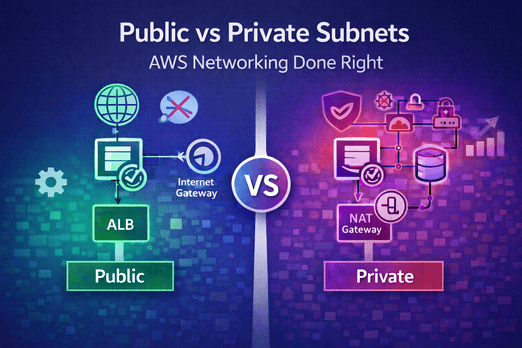
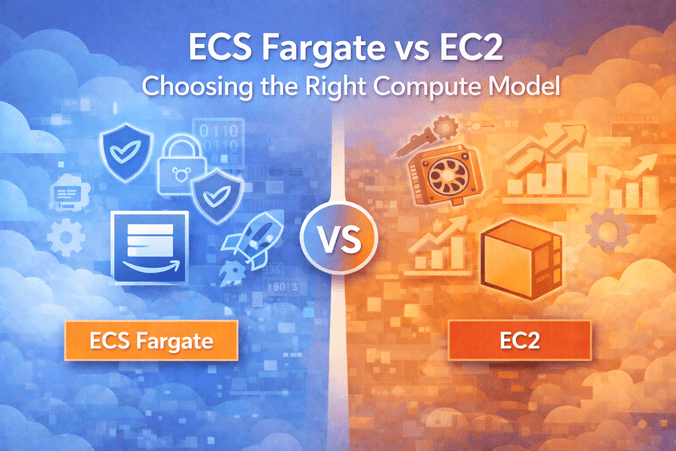
Want to learn more? Check out our detailed comparison of ECS Fargate vs EC2 or dive deep into AWS Networking Best Practices for Subnets.
Leave a Comment