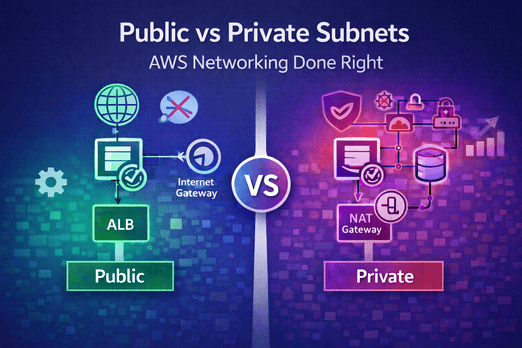
Networking 101: Public vs Private Subnets
In the world of AWS, your network is your first line of defense. Understanding the difference between public vs private subnets is non-negotiable for anyone building production-ready applications. If you put your database in a public subnet, you are inviting disaster. If you put your internal API in a private subnet without a NAT, it will never talk to the outside world.
This guide explains the essential mechanics of public vs private subnets and how to configure them for maximum security and performance.
What defines a "Public" Subnet?
A subnet is "public" if its route table includes a path to an **Internet Gateway (IGW)**. This allows resources inside the subnet (like an ALB) to have a direct connection to the internet. In the public vs private subnets hierarchy, public subnets are your "front door."
- Inbound: Directly accessible from the internet (if SG allows).
- Outbound: Directly accessible to the internet.
- Common Use: Load Balancers, Bastion Hosts, NAT Gateways.
What defines a "Private" Subnet?
A subnet is "private" if it does not have a direct route to the Internet Gateway. It is logically isolated. To allow resources in a private subnet to reach the internet (e.g., to download a library), you must use a **NAT Gateway** sitting in a public subnet. In the public vs private subnets debate, private is where the "brains" of your app live.
- Inbound: NOT directly accessible from the internet.
- Outbound: Accessible via NAT Gateway (if configured).
- Common Use: ECS Tasks, RDS Databases, Internal Lambda functions.
The Routing Magic: How They Work Together
To master public vs private subnets, you must understand the Route Table. A typical secure setup looks like this:
- Public Route Table: 0.0.0.0/0 → Internet Gateway
- Private Route Table: 0.0.0.0/0 → NAT Gateway
This ensures that your containers can go "out" to fetch what they need, but no malicious actor can come "in" directly.
Public vs Private Subnets: A Security Comparison
| Feature | Public Subnet | Private Subnet |
|---|---|---|
| Direct Internet Access | Yes | No |
| Internet Gateway Needed? | Yes | No |
| NAT Gateway Needed? | No | Yes (for outbound access) |
| Typical Resource | ALB / NAT | ECS Tasks / DB |
The NAT Gateway Hurdle
The most common point of confusion in public vs private subnets is the cost of the NAT Gateway. While a NAT Gateway provides high availability and managed scaling, it costs roughly $32/month per AZ. For developers on a budget, you can use a NAT Instance (an EC2 instance acting as a NAT), but this requires more management.
Real-World Example: The "Open Database" Disaster
"We thought 'Public Access: No' in RDS settings was enough. But because the database was in a public subnet, an accidentally open Security Group rule allowed a bot to brute-force our credentials."
— Security Team LeadThis is why public vs private subnets separation is critical. Even if your settings are "private," being in a public subnet increases your attack surface. A database in a private subnet is literally unreachable from the internet at the network layer.
Best Practices for Subnet Architecture
- Use multiple AZs: Always deploy subnets in at least 2 Availability Zones.
- Keep subnets large: Don't use /28 or /24 if you can avoid it. Use /20 for room to grow.
- Enforce SGs: Subnets provide network isolation, but Security Groups provide resource isolation. Use both.
- Use VPC Endpoints: For internal traffic to S3 or DynamoDB, use VPC Endpoints to avoid NAT Gateway costs and keep traffic within the AWS backbone.
Summary: Making the Right Choice
When in doubt, default to private. If a resource doesn't need to be public, it shouldn't be. Mastery of public vs private subnets is what separates a cloud novice from a professional architect.
Want to see this in action? Follow our ECS Fargate Architectural Guide or compare Fargate vs EC2 compute models.

Leave a Comment