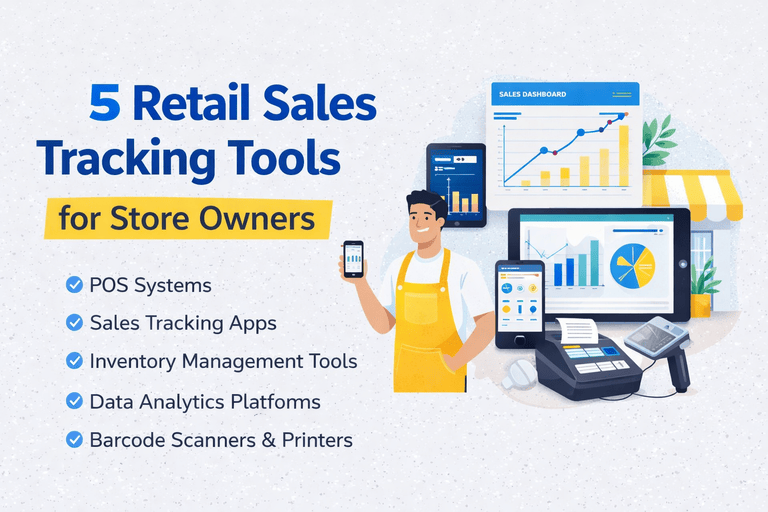
Best Retail Sales Tracking Tools for Small Businesses
Walk into any tech conference and you'll hear about hundreds of analytics platforms, each promising to "revolutionize your retail business." The reality? Most retail owners just need a few simple retail sales tracking tools that actually work.
This guide cuts through the noise and shows you five retail sales tracking tools that are:
- ✅ Easy to set up (under 30 minutes)
- ✅ Simple to use (if you can use a smartphone, you can use these)
- ✅ Actually helpful (not just fancy features you'll never touch)
- ✅ Affordable (many have free versions)
Tool #1: Square (or Similar POS with Built-In Analytics)
What It Does
Square isn't just for processing payments—it's a complete sales tracking system that runs on your tablet or smartphone.
Key Features for Retail Owners
- Real-Time Sales Dashboard: See today's sales compared to yesterday
- Product Performance: Which items are bestsellers
- Hourly Breakdown: When your store is busiest
- Customer Tracking: Who your repeat customers are
- Inventory Alerts: Get notified when stock runs low
Perfect For
Small to medium retail stores, pop-up shops, boutiques, and cafes.
Cost
Free for basic features + transaction fees. Premium analytics: $60/month.
Why It's Great
You're already using it for payments—the analytics are just a bonus. No additional login, no new system to learn.
Tool #2: Google Sheets with Pre-Built Templates
What It Does
Don't underestimate a good spreadsheet. Google Sheets has hundreds of free retail templates that do the math for you.
What Makes It Work
- Templates Are Pre-Made: Just plug in your numbers
- Automatic Calculations: Formulas are already written
- Charts Update Live: Visual graphs that change as you add data
- Access Anywhere: Check from phone, tablet, or computer
Best Templates to Start With
- Daily Sales Tracker: Record sales, calculate totals automatically
- Inventory Management: Track what's in stock, what's running low
- Monthly Comparison: See growth month over month
Perfect For
Retail owners who want complete control and customization without paying for software.
Cost
Free (with a Google account).
Pro Tip
Search "retail sales tracker template Google Sheets" and choose one with good reviews. Spend 15 minutes learning it—you'll use it for years.
Tool #3: Shopify Analytics (For Online + Offline Sales)
What It Does
If you sell online or plan to, Shopify combines your in-store and online sales into one dashboard.
Key Features
- Unified Dashboard: See all sales channels in one place
- Customer Behavior: What people looked at vs what they bought
- Traffic Sources: Where your customers are finding you
- Sales by Location: If you have multiple stores
- Profit Margins: See what actually makes you money
Perfect For
Retail stores expanding online or already selling on multiple channels.
Cost
$39-$399/month depending on features (analytics included in all plans).
Why It's Worth It
The future of retail is omnichannel. Shopify makes it simple to manage both worlds.
Tool #4: Simple Inventory Apps (Like Stocky or Sortly)
What It Does
Takes pictures of your products, tracks quantities, and alerts you when to reorder.
How It Helps With Sales Tracking
- Inventory Velocity: How fast products sell
- Stockout Prevention: Never miss a sale due to empty shelves
- Overstock Alerts: Know when you've ordered too much
- Trend Spotting: See which categories move fastest
Perfect For
Stores with lots of products, seasonal inventory, or multiple locations.
Cost
$0-$50/month (most offer free trials).
Time Saver
Instead of counting inventory manually, scan barcodes with your phone. Updates your system instantly.
Tool #5: WhatsApp Business Analytics (Free Hidden Gem)
What It Does
If you communicate with customers via WhatsApp, the Business version includes simple analytics.
Surprising Insights You'll Get
- Message Statistics: How many people reach out
- Response Times: How quickly you reply
- Catalog Views: Which products people ask about
- Customer Patterns: When people contact you most
Perfect For
Small retailers who use messaging apps to communicate with customers.
Cost
Completely free.
Why It Matters
Customer inquiries are pre-sales data. If 10 people ask about blue jeans but you're out of stock, that's a trend worth noting.
How to Choose the Right Tools for Your Store
Start With What You Already Have
Before buying anything new:
- Check if your current POS has analytics (90% do)
- See if your accounting software tracks sales trends
- Look for free trials of tools you're curious about
The One-Tool Rule
Don't try to use all five tools at once. Pick one, master it for a month, then consider adding another if needed.
Decision Matrix
- Single store, simple needs: POS analytics + Google Sheets
- Growing business: Square or Shopify
- Inventory-heavy: Inventory app + POS
- Customer-focused: WhatsApp Business + POS
Real Example: Mike's Hardware Store
Mike runs a small hardware store and was drowning in spreadsheets. Here's his simple stack:
- Square POS: For daily sales tracking (already had it)
- Google Sheets template: For weekly comparisons (free)
- WhatsApp Business: For customer communication (free)
Total cost: $0 extra (already paying for Square transactions)
Time spent on analytics: 15 minutes per week
Result: Identified his top 20 products (80% of revenue) and negotiated better bulk pricing with suppliers.
Common Mistakes When Choosing Tools
Your Action Plan
This Week
- Log into your POS system and explore the reports section
- Try one Google Sheets template for daily sales
- Download WhatsApp Business if you use messaging
Next Month
- Evaluate if your current tools are enough
- Sign up for one free trial if you need more features
- Cancel anything you're not using
The Bottom Line
You don't need a dozen expensive tools to track sales effectively. Most retail owners succeed with:
- One POS system with good analytics
- One spreadsheet for custom tracking
- One communication tool for customer insights
Start simple, stay consistent, and only add complexity when you've outgrown the basics.
Want to know what to track with these tools? Read our guide on key retail metrics explained in plain English.



Leave a Comment