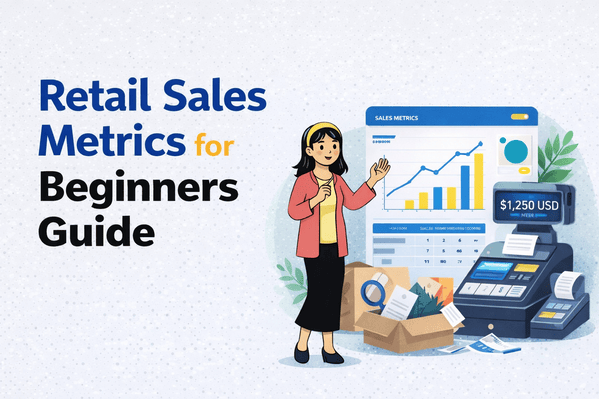
Essential Retail Sales Metrics for Beginners
Open any business book and you'll find dozens of metrics to track: CAC, LTV, GMROI, and other acronyms that sound more like alphabet soup than business advice.
Here's the truth: understanding retail sales metrics for beginners doesn't have to be complicated. Most retail owners only need to understand 6-8 core retail sales metrics for beginners to make smart decisions. This guide explains each one in plain English, shows you why it matters, and tells you exactly what to do with the information.
Metric #1: Conversion Rate (How Good Are You at Closing Sales?)
What It Is
The percentage of people who walk into your store (or visit your website) and actually buy something.
Simple Formula
Conversion Rate = (Number of Purchases ÷ Number of Visitors) × 100
Example: 50 people walked in today, 10 bought something → 10 ÷ 50 × 100 = 20% conversion rate
Why It Matters
- Shows how effective your store is at turning browsers into buyers
- Helps you measure if changes (new displays, sales, staff training) are working
- Industry average is 20-40% for retail stores (yours should be in this range)
What to Do With This Number
📊 Below 20%: Focus on customer service, product placement, or pricing
📊 20-40%: You're doing well, look for small improvements
📊 Above 40%: Excellent! Now focus on bringing in more traffic
Metric #2: Average Transaction Value (What's a Typical Sale Worth?)
What It Is
The average amount a customer spends per purchase.
Simple Formula
Average Transaction Value = Total Sales ÷ Number of Transactions
Example: You made $2,000 from 40 sales today → $2,000 ÷ 40 = $50 average
Why It Matters
- Tells you if customers are buying one item or multiple items
- Shows if your upselling or bundling strategies work
- Helps predict daily revenue (visitors × conversion rate × average value)
How to Increase It
- Bundle Products: "Buy 2, get 10% off"
- Place Small Items at Checkout: Easy add-ons
- Train Staff to Suggest: "Would you like matching accessories?"
- Set Minimum for Free Shipping: (Online stores)
Realistic Goals
Aim to increase your average by 10-15% over 3 months through simple strategies above.
Metric #3: Inventory Turnover (How Fast Are You Selling Stock?)
What It Is
How many times per year you sell and replace your entire inventory.
Simple Formula
Inventory Turnover = Cost of Goods Sold ÷ Average Inventory Value
Example: You sold $120,000 worth of products (cost), average inventory is $30,000 → 120,000 ÷ 30,000 = 4 times per year
Why It Matters
- Shows if you're stocking too much (money tied up) or too little (missed sales)
- Identifies slow-moving products quickly
- Helps plan purchasing and cash flow
What's Good?
- Grocery stores: 10-20 times/year (fresh products)
- Clothing: 4-6 times/year (seasonal changes)
- Electronics: 6-8 times/year (fast-moving tech)
- Furniture: 2-4 times/year (big-ticket items)
Action Steps
⚠️ Too Low: Discount slow items, stop reordering them, analyze why they're not selling
⚠️ Too High: Order more frequently, increase stock levels, you're running out too often
Metric #4: Foot Traffic (How Many People Are Coming In?)
What It Is
The number of people who enter your store each day, week, or month.
How to Track It
- Manual: Click counter at the door (simple, cheap)
- Automatic: Door sensor with POS integration
- Basic: Just estimate and track trends (better than nothing)
Why It Matters
Combined with conversion rate, it tells you if your problem is:
- Low traffic: Need better marketing, location visibility, or foot traffic
- Low conversion: Need to improve in-store experience or product selection
Using It Practically
Example: Last month you had 1,000 visitors and 200 sales (20% conversion). This month you have 1,500 visitors and 225 sales (15% conversion).
Insight: More people came in, but fewer bought. Something changed in your store—maybe staff training needed, or you're attracting the wrong crowd.
Metric #5: Customer Retention Rate (Are People Coming Back?)
What It Is
The percentage of customers who make a second (or third, fourth) purchase.
Simple Formula
Retention Rate = (Repeat Customers ÷ Total Customers) × 100
Example: Out of 100 customers last month, 30 came back this month → 30 ÷ 100 × 100 = 30% retention
Why It's Crucial
- Getting a new customer costs 5-10x more than keeping an existing one
- Repeat customers spend 67% more than new ones on average
- A 5% increase in retention can boost profits by 25-95%
How to Improve It
- Loyalty Programs: "Buy 10, get 1 free"
- Follow-Up: Text or email after purchase
- Special Events: VIP shopping nights for regulars
- Remember Names: Personal service goes a long way
Realistic Target
Aim for 30-40% of customers to return within 3 months. If you're below 20%, customer experience or product quality might need attention.
Metric #6: Sales Per Square Foot (Is Your Space Productive?)
What It Is
How much revenue each square foot of your store generates.
Simple Formula
Sales Per Sq Ft = Total Sales ÷ Total Square Footage
Example: $50,000 monthly sales in a 1,000 sq ft store → 50,000 ÷ 1,000 = $50 per square foot
Why It Matters
- Shows if you're making the most of your retail space
- Helps decide if you need a bigger (or smaller) location
- Identifies "dead zones" in your store that don't generate sales
Industry Benchmarks (Annual)
- Department stores: $150-200/sq ft
- Specialty stores: $300-400/sq ft
- Jewelry stores: $400-600/sq ft
- Convenience stores: $400-500/sq ft
How to Improve It
- Reorganize layout to use dead space
- Place high-margin items in prime real estate (eye level, near entrance)
- Remove slow sellers to make room for fast movers
Metric #7: Peak Hours & Days (When Should You Be Staffed?)
What It Is
Identifying which hours and days bring the most customers and sales.
How to Find It
Your POS system shows sales by hour. Look for patterns:
- Weekdays: Maybe lunch hours (12-2 PM) are busiest
- Weekends: Often see peaks in afternoon (2-5 PM)
- Seasonal: Holiday shopping in November-December
Why It Matters
- Schedule more staff during busy times (better service = higher conversion)
- Schedule yourself during slow times (when fewer staff needed)
- Plan promotions during slow periods to boost traffic
Action Example
If Mondays are consistently slow, run a "Monday Madness" sale to attract customers on your weakest day.
Metric #8: Gross Margin (What's Actually Profitable?)
What It Is
The percentage of revenue left after paying for the products you sold.
Simple Formula
Gross Margin = ((Revenue - Cost of Goods) ÷ Revenue) × 100
Example: Sold $100 of products that cost you $60 → (100 - 60) ÷ 100 × 100 = 40% margin
Why It Matters
- Shows which products make you the most money
- Helps set prices intelligently
- Reveals if you can afford to discount
Target Margins by Category
- Groceries: 20-30%
- Clothing: 40-60%
- Jewelry: 50-70%
- Electronics: 10-20% (volume business)
Smart Use
Promote high-margin items more. A $30 sale at 50% margin makes you more money than a $50 sale at 15% margin.
Putting It All Together: Your Monthly Review Template
Set aside 30 minutes monthly to review these 8 metrics:
- Conversion Rate: Are we closing more sales?
- Average Transaction: Are customers buying more per visit?
- Inventory Turnover: What's moving fast vs slow?
- Foot Traffic: Are we getting enough visitors?
- Customer Retention: Are people coming back?
- Sales Per Sq Ft: Is our space productive?
- Peak Times: When should we focus resources?
- Gross Margin: Which products are most profitable?
For Each Metric, Ask
- Is it better or worse than last month?
- If worse, what might have caused it?
- What's one thing I can try to improve it?
Common Beginner Mistakes
❌ Tracking everything: Leads to analysis paralysis
✅ Better: Start with 3 metrics, add more as needed
❌ Comparing to unrelated businesses: Different industries have different norms
✅ Better: Compare to your own past performance and industry averages
❌ Looking at metrics without taking action: Data is useless without decisions
✅ Better: For every metric, decide on one small change to test
Real Example: Lisa's Gift Shop
Lisa started tracking just 3 metrics:
- Conversion Rate: 18% (below average)
- Average Transaction: $22
- Peak Times: Saturdays 2-4 PM
Actions Taken
- Added a "3 for $60" bundle deal (to boost average transaction)
- Scheduled her best salesperson for Saturday afternoons
- Rearranged front display to be more inviting (improve conversion)
Results After 2 Months
- Conversion rate: 18% → 24%
- Average transaction: $22 → $31
- Monthly revenue: +35%
Time spent on metrics: 20 minutes per week
Your Action Plan
Week 1
- Choose 3 metrics from this list that interest you most
- Find them in your POS system or calculate them manually
- Write down the current numbers
Week 2-4
- Check those 3 metrics weekly
- Note any big changes
- Try one small improvement
Month 2
- Add 2-3 more metrics to your review
- Compare to your baseline from Week 1
- Celebrate improvements, diagnose declines
The Bottom Line
You don't need to understand every business metric ever invented. These 8 core metrics give you 80% of the insights you need to run a successful retail store.
Start with 3. Master them. Add more when you're ready. The goal isn't to become a data analyst—it's to make better decisions about your business.
Ready to take action? Learn common mistakes retail owners make when tracking these metrics and how to avoid them.


Leave a Comment